← Back to Apps
Lab 3776
Windows Editor

Note3776win

A portable Windows text editor focused on clipboard capture, Markdown readability, and tray-friendly workflow. It combines tabbed editing, lightweight Markdown styling, and table formatting without requiring installation.

Latest Loading...
Published Loading...
Platform Windows 11
Clipboard Capture Markdown Styling Table Formatting Portable

Highlights

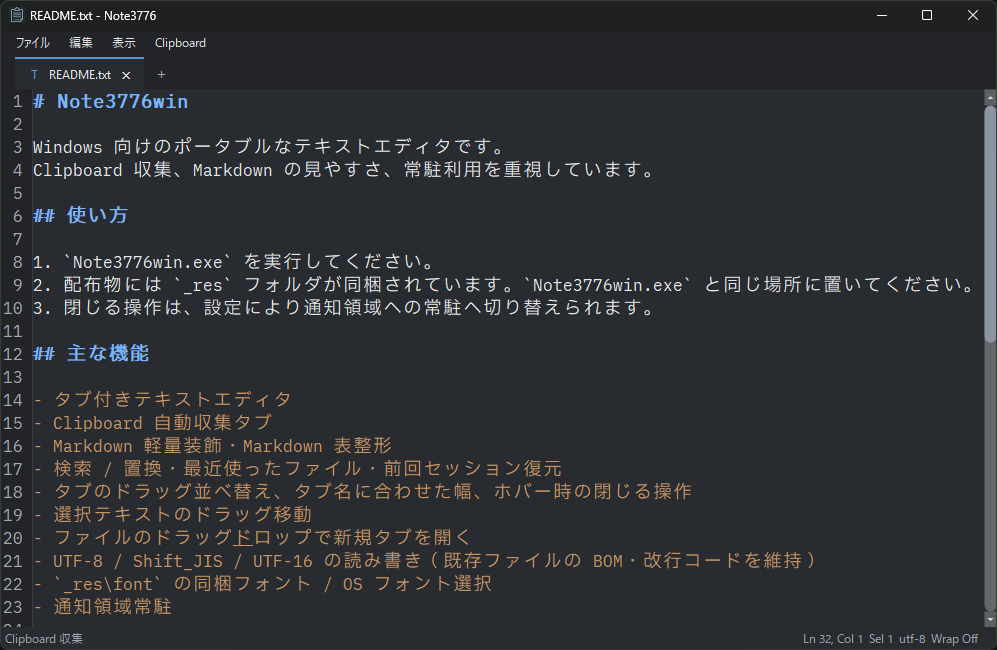
The design keeps a plain-text editor feel while focusing on clipboard workflow and Markdown readability.

Clipboard capture tab Copied text is collected with timestamps and remains directly editable.
Improved Markdown readability Headings, rules, code fences, links, and tables are styled with lightweight decorations for better scanning.
Portable workflow Runs without installation and keeps settings plus history inside the `_res` folder.
Core Features

The feature set starts with core text editing and adds practical helpers around Markdown and clipboard work.

Tabbed editor Open multiple documents at once and create new tabs from the trailing `+` button.
Find / Replace Use in-page find and replace through the top-right overlay.
Markdown table formatting Columns are aligned with full-width character handling so tables stay readable.

Latest Release Notes

The latest information is fetched automatically from GitHub Releases.

All Releases
Loading Fetching release notes.

Notes

Platform Windows 11 is the supported platform.
Saved data Settings, clipboard history, and WebView2 internal data are saved inside `_res\data\`.